Minecraft Pixel Art Generator & Image Converter
The free Minecraft pixel art generator and image converter. Turn any picture into Minecraft blocks — with a buildable grid, an exact block shopping list, and PNG export, all in your browser.
What is a Minecraft Pixel Art Generator & Image Converter?
A Minecraft pixel art generator & image converter is a free tool that takes any image — a photo, a logo, a game sprite, a piece of artwork — and turns it into a grid of Minecraft blocks that you can actually build. Instead of guessing which block matches which colour, the image converter analyses every pixel of your upload, finds the closest match from ~160 real Minecraft blocks (with textures pulled from the official game), and hands you a plan: a live block-by-block preview, an exact shopping list with 64-item stack counts, and one-click schematic export.
The point of a good Minecraft pixel art generator is not to give you a nice-looking JPEG — plenty of generic pixel art tools already do that. The point is to bridge the gap between “here’s a picture I like”and “here’s a pixel art build I can finish in survival.” That is why this image converter includes the block list, the palette filters (no falling, no transparent, survival-only), and the .litematic / .schem / .mcfunction export — the parts a builder actually needs to go from image to finished mural.
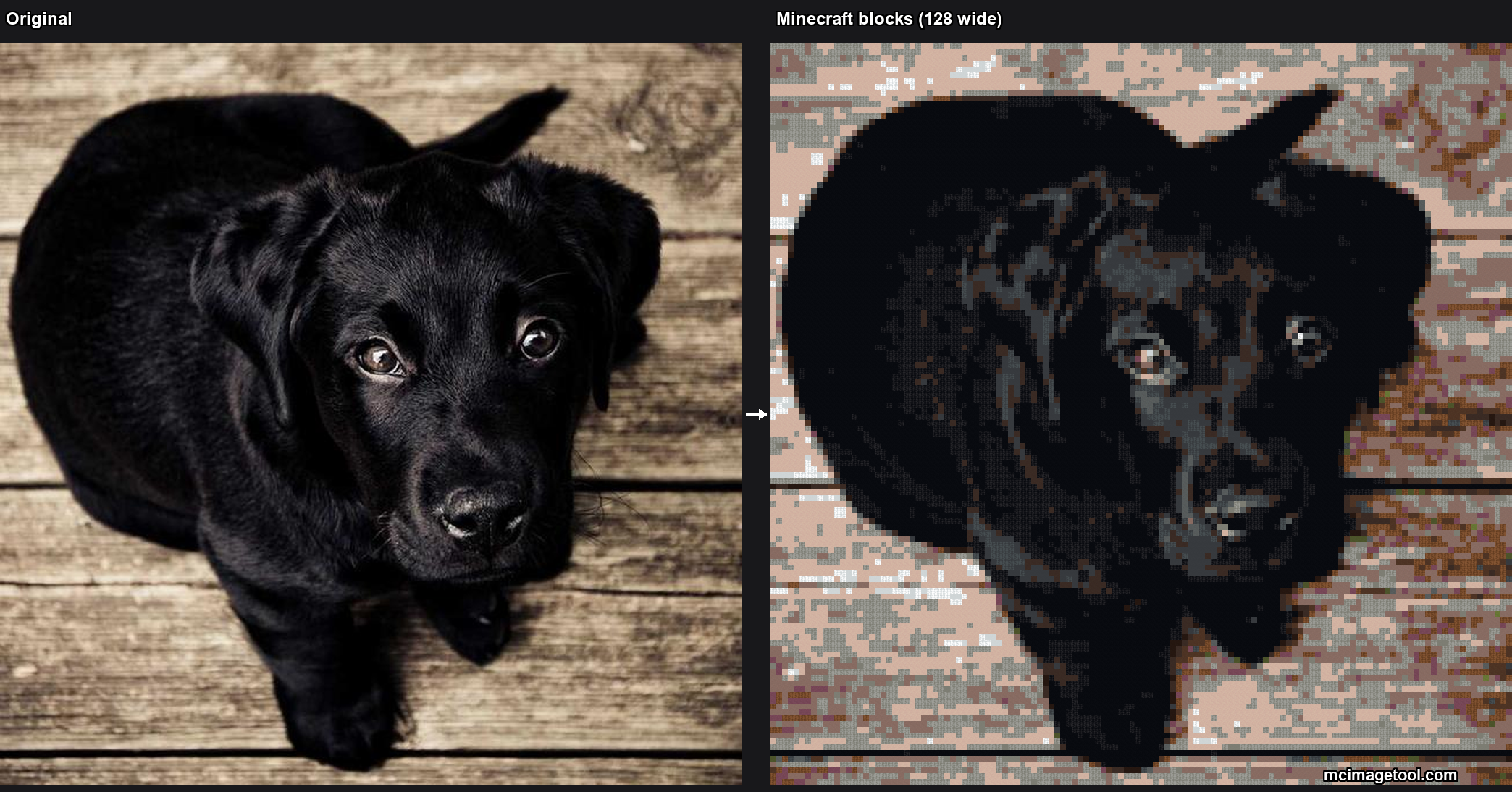
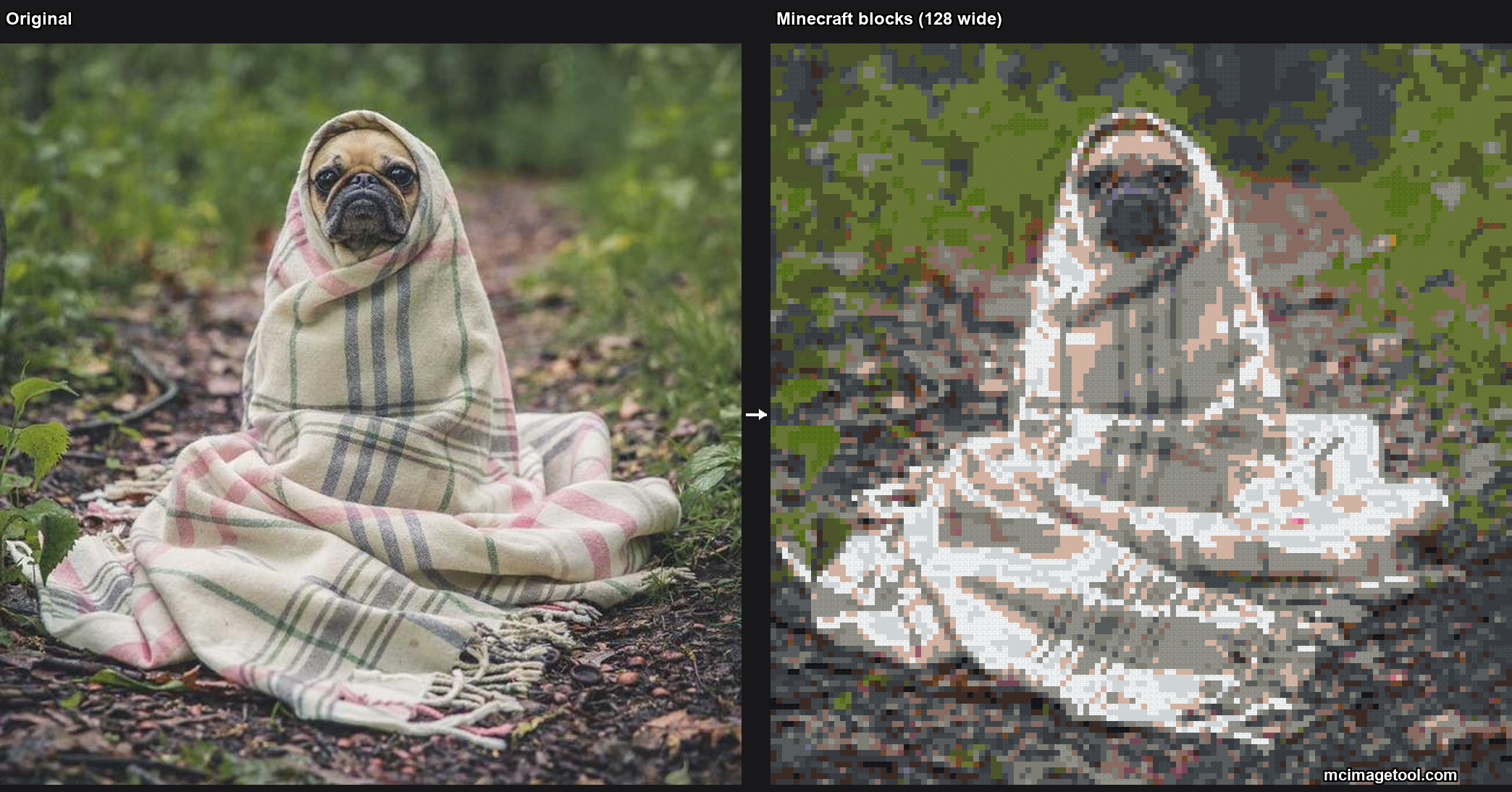
Examples: photos converted to Minecraft blocks
Two real conversions produced by the Minecraft pixel art generator at 128 blocks wide, using the concrete & terracotta palette.
Everything the Minecraft pixel art generator gives you
Image → Minecraft blocks instantly
The Minecraft pixel art generator matches every pixel of your uploaded image to the closest Minecraft block, automatically.
Block shopping list (image converter output)
See exactly how many of each block your Minecraft pixel art needs — and how many stacks — before you start building.
Grid overlay & map art mode
Toggle a grid to build row by row, or switch the image converter to map colors for crisp 128×128 map art.
100% in your browser, no upload
Your images never leave your device. This Minecraft image converter runs entirely in your browser — no signup, no watermark.
How to make Minecraft pixel art with this image converter
- Upload an image — pick something with bold, clear colours for the best result. The converter accepts PNG, JPG, WEBP and GIF, all processed in your browser.
- Choose a width in blocks. 32 blocks reads nicely on a wall; 64 is the sweet spot for most murals; 128 fills one full in-game map (128×128).
- Pick a palette. Concrete is the most vibrant, wool is softer and cheaper in survival, terracotta gives an earthier tone, and map colours are the way to go if you want the pixel art to display on a real Minecraft map.
- Generate and review the block grid. Hover any tile to see the block name, then grab your block shopping list.
- Build it in survival or creative — or export a schematic (.litematic or .schem) and let Litematica or WorldEdit place the entire pixel art in one action.
New to this? Start with our pixel art tutorial or browse pixel art templates and ideas. Want it on an in-game map? See the map art generator. You can also read the official Minecraft Wiki pixel art tutorial for the classic manual approach.
Who is the Minecraft Pixel Art Generator & Image Converter for?
Survival builders use the image converter mostly for its block shopping list. Before this tool, planning a 64-wide pixel art meant screenshotting your image, opening it in a paint program, sampling colours by hand and tallying blocks in a spreadsheet. The Minecraft pixel art generator does the tallying for you and exports it as CSV — one row per block, with quantity, stack count and leftovers.
Creative-mode builders and server owners lean on the schematic export. If your build spans thousands of blocks, you don’t place them one by one — you use Litematica to project the schematic in-game and mine through the outline, or WorldEdit’s //paste to drop the whole pixel art in one command. The image converter outputs the file format each of those workflows expects.
Map art builders use the dedicated Minecraft map art mode. Instead of matching block-face colours, that mode targets the ~62 official Minecraft map palette colours (extended to ~180 shades with staircase shading), so the finished build actually looks correct when a player crafts a map over it. The base image converter would produce a visually similar pixel art, but a real map art build uses different maths — that is why it has its own page.
Casual players use the generator for something simpler: a portrait to hang in their base, a server logo, their favourite character rendered in blocks. For those quick jobs, the workflow is genuinely a minute long — upload, generate, download the PNG, and you have a reference image or a printable grid to build from.
Explore the Minecraft pixel art tools
Minecraft Image Converter
Convert any picture or photo to Minecraft blocks instantly.
Minecraft Pixel Art Generator
The full image-to-blocks converter with live preview.
Block Shopping List
Count every block in your pixel art and export a CSV for survival builds.
Map Art Generator
128×128 map-color pixel art that displays on a Minecraft map.
Java Edition
Pixel art tips and palettes tuned for Minecraft Java Edition.
Bedrock Edition
Make pixel art for Minecraft Bedrock and consoles.
Templates & Ideas
Character, logo, easy and grid pixel art templates to try.
Frequently asked questions
What is a Minecraft pixel art generator?+
It's a free tool that converts any image into a pixel art design made of Minecraft blocks. You get a block-by-block grid, a shopping list of blocks, and a PNG you can save.
How is a Minecraft image converter different from a normal pixel art generator?+
A generic pixel art generator turns an image into abstract colored pixels. A Minecraft image converter matches every pixel to a specific in-game Minecraft block (concrete, wool, terracotta, etc.), so the output is directly buildable in survival or creative mode.
Is the Minecraft pixel art generator & image converter free?+
Yes — completely free, no account needed, and no watermark. Everything runs in your browser.
Do you upload my images?+
No. All image processing happens locally in your browser, so your pictures never leave your device.
Which Minecraft editions are supported?+
Both. The block palettes work for Java and Bedrock — see our Java and Bedrock pages for edition-specific tips.
Can I export a schematic to place the pixel art in-game?+
Yes. Beyond the PNG and CSV block list, the generator exports .litematic (Litematica), .schem (WorldEdit), and .mcfunction files so you can build the whole thing in one action instead of placing blocks one by one.